Payments and POS
Get paid online and at the desk, into your own account.
- Your own Stripe or Square account
- Front-desk sales by card reader, card on file or cash
- Refunds recorded against the original payment
See revenue, check-ins and which members joined or left, for any date range and location, and export any table to CSV.
Pick the period
Set the report to the last three months at one location, and open the sessions view.
Check the class
Sessions by time slot shows how often the Tuesday 7 p.m. class ran, how many seats were sold per session and its fill rate.
Compare the slots
The same table shows the same class at other times, so you can see which times fill and which to move, resize or drop.
Decide
Move the class or drop it, then check the same table next quarter.
The dashboard opens on today's sessions across your locations with the places booked, beside revenue and bookings for the last 30 days, your customer count and active memberships.
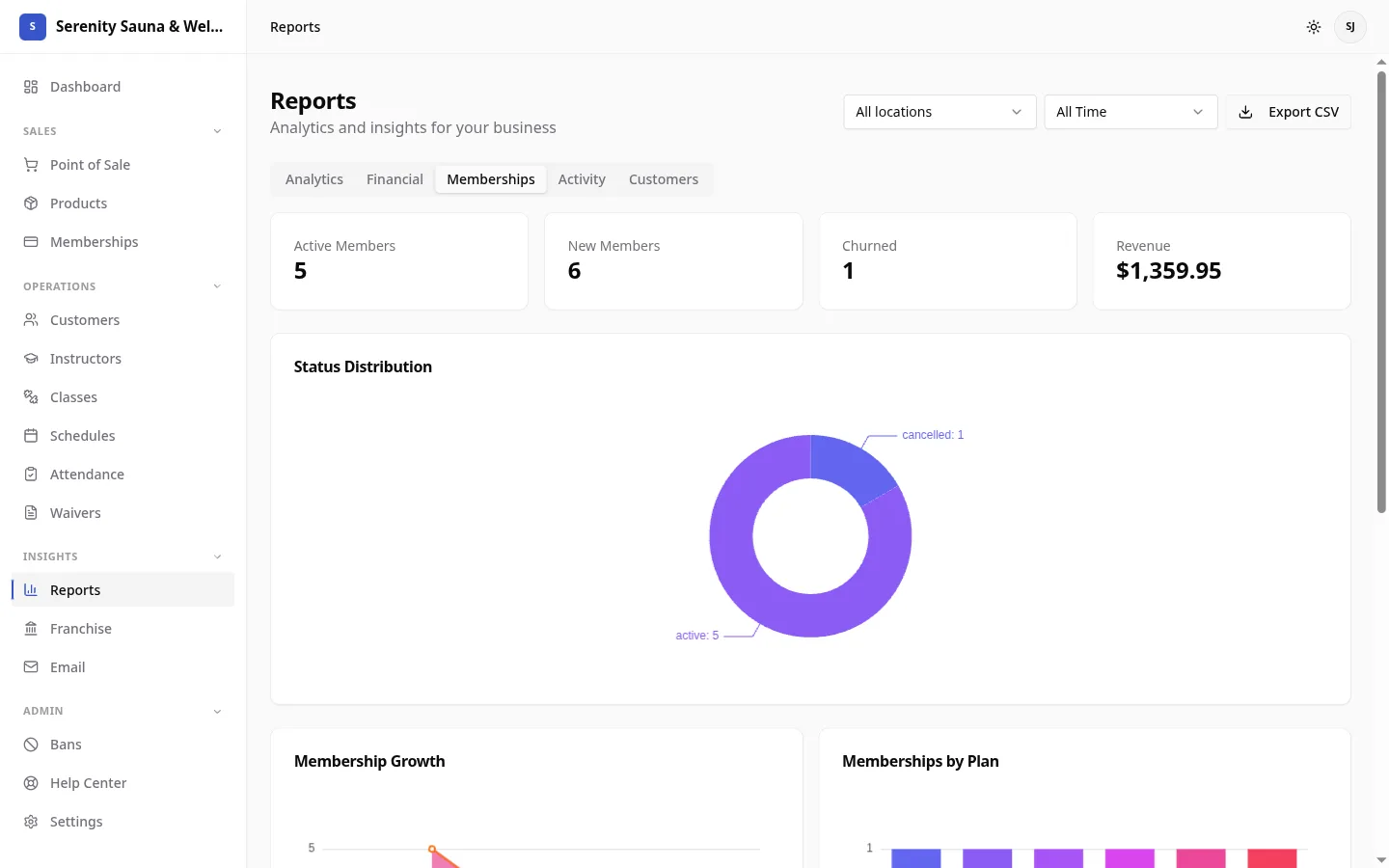
Reports use the bookings, check-ins and payments recorded in Elara. Turn on comparison to see the headline numbers against the period before.
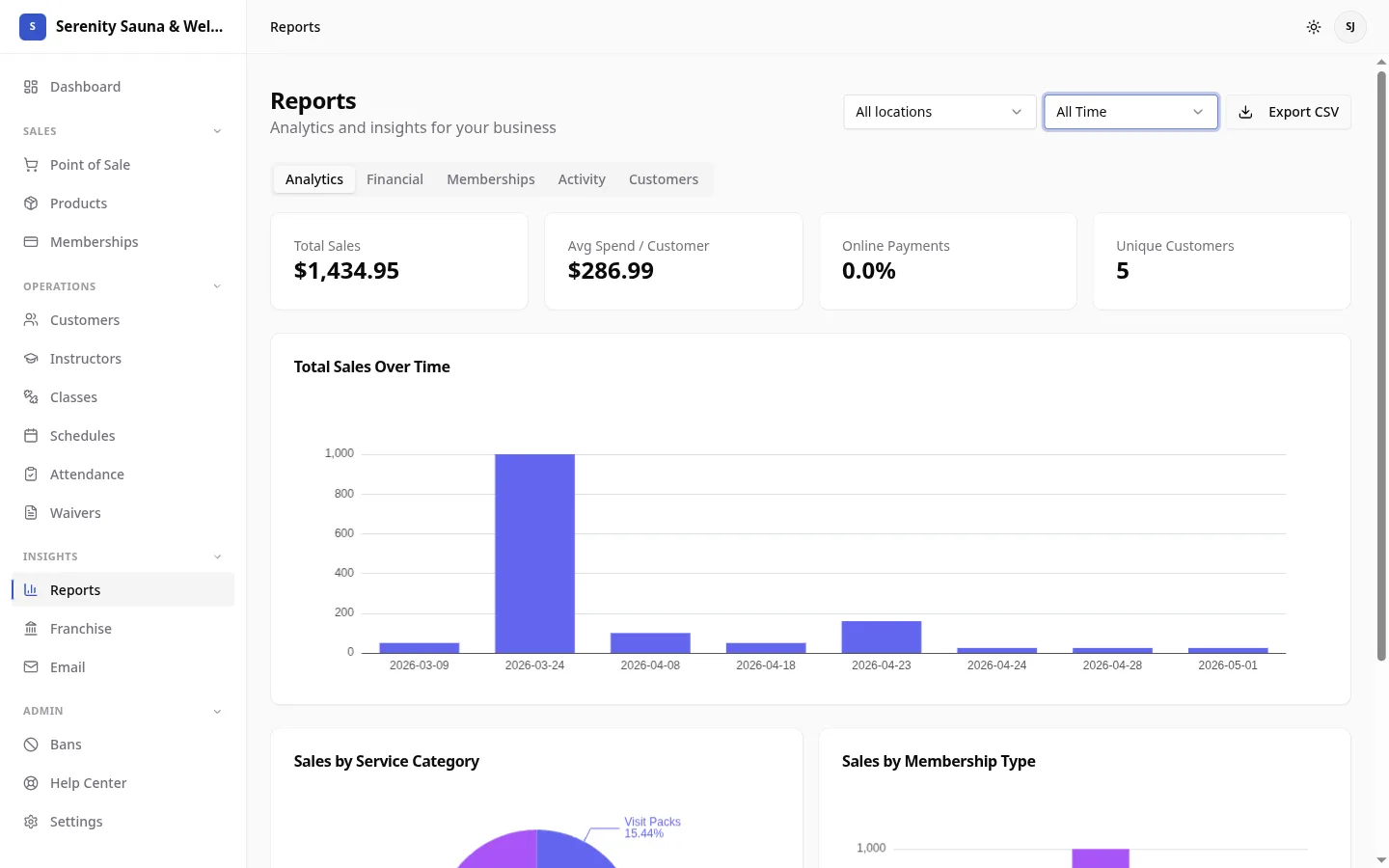
Sales over time and by category, item and plan, with the share paid online, refunds and payment status.
Bookings and fill rate by session, attendance by day of the week, cancellations and no-shows.
New, current and churned members, counted as people, plus the memberships started in the range by plan and by day.
New and active customers, first and last visits, top customers and who's at risk of lapsing.
The bookings and revenue that followed each email campaign.
Scheduled hours beside hours worked, with overtime, and labor cost for the people who can see pay.
Every report tab filters to one location or all of them. To compare locations, switch the filter from one to the next. The staff tab lists hours by location.
Sourced owner income by member count, what salary sites miss, real gym profit margins, and how to split your pay from profit before you plan on either.
What Pilates studio owners keep: what published figures count, income at each reformer fill, and how to split your pay from profit and teaching.
What yoga studio owners keep: what published figures count, income at each class size, the profit margin after your pay, and how to split pay from profit.
Fill in a gym business plan beside a worked class gym: capacity, membership mix, break-even, loan coverage, and what SBA and Canadian lenders actually test.
A Pilates studio business plan template with a worked 8-reformer example: break-even, debt coverage, cash low point and what lenders and landlords check.
How many people a class needs once you count only the revenue that leaves when the slot goes, with a worked midday class, by share of members.
How many new members a month a studio needs at a given churn rate, the member count churn caps it at, and how long the count takes to get there.
What the research says keeps gym members: early visits, contact when visits stop, failed renewals and campaigns judged after they end, with studio churn rates.
What US and Canadian studios post per Pilates class, from 388 job ads, against BLS and salary-site figures, with minimum wage rules and training payback.
Find the class sizes where flat per-class pay, per-head pay and a base plus per head cross over, and what each pays the instructor.
A PushPress alternative for class gyms: one account across locations, how members' cards move when you switch, and waivers enforced at check-in.
Session (bookasession.org) beside Elara: the same private hire, then a desk with no card reader connection and one waiver per booking, from Session's guides.
Analyze revenue, memberships, activity, customers, campaign attribution, and staff hours across the report tabs, filtered by date and location, with CSV export.
Yes. Online checkout and the point of sale use the same payment records, so revenue includes both.
Gift card value counts as revenue when it's spent, not when the card is sold. The gift card report shows what's been issued and redeemed, and the balance customers can still spend.
Yes. Reports filter to one location or all of them, and staff limited to certain locations see only theirs.
Yes. The sessions view lists each session by time slot with the times it ran, the seats sold per session and its fill rate.
Class break-even attendance: which time slots to keep, move or cutGet paid online and at the desk, into your own account.
Sell memberships and packs online and at the desk.
A CRM with every booking, plan, payment and waiver on one profile.
Tell us how many locations you run and what you use today. We'll email you a quote and, if you're switching, what we can bring across.