Reports
See what sold, who came and which plans are growing.
- Revenue and payment sources
- Attendance, cancellations and no-shows
- Reports by location, with CSV export
Plan the week's shifts and publish them, fill open shifts and cover, and let staff clock in at the front desk or from their phone. Then approve each pay period's hours and export them for payroll.
In Elara
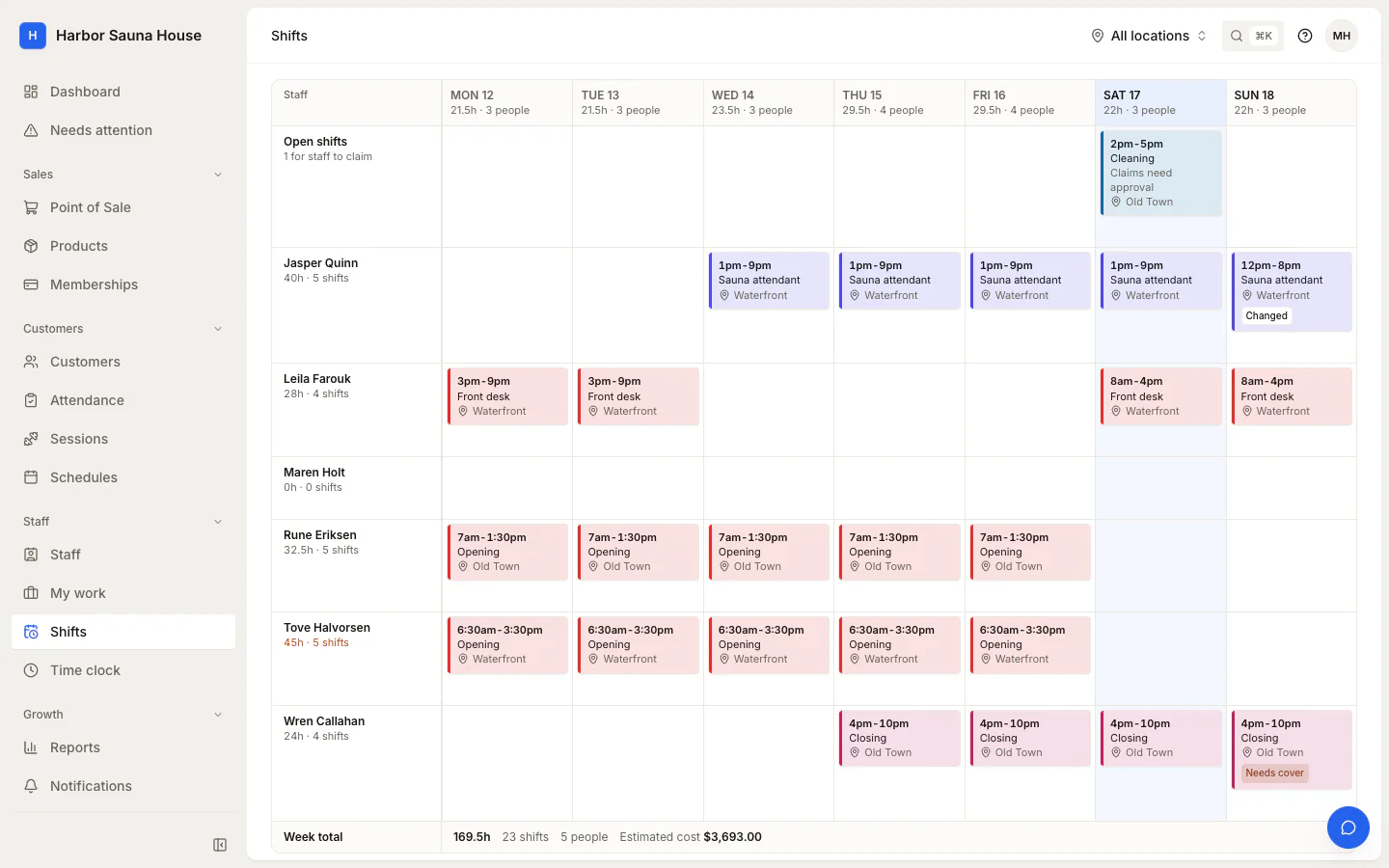
Build the week as drafts, which send no email and stay off staff's own schedules. Publish it when it's ready, and each person gets one email listing their shifts.
In Elara
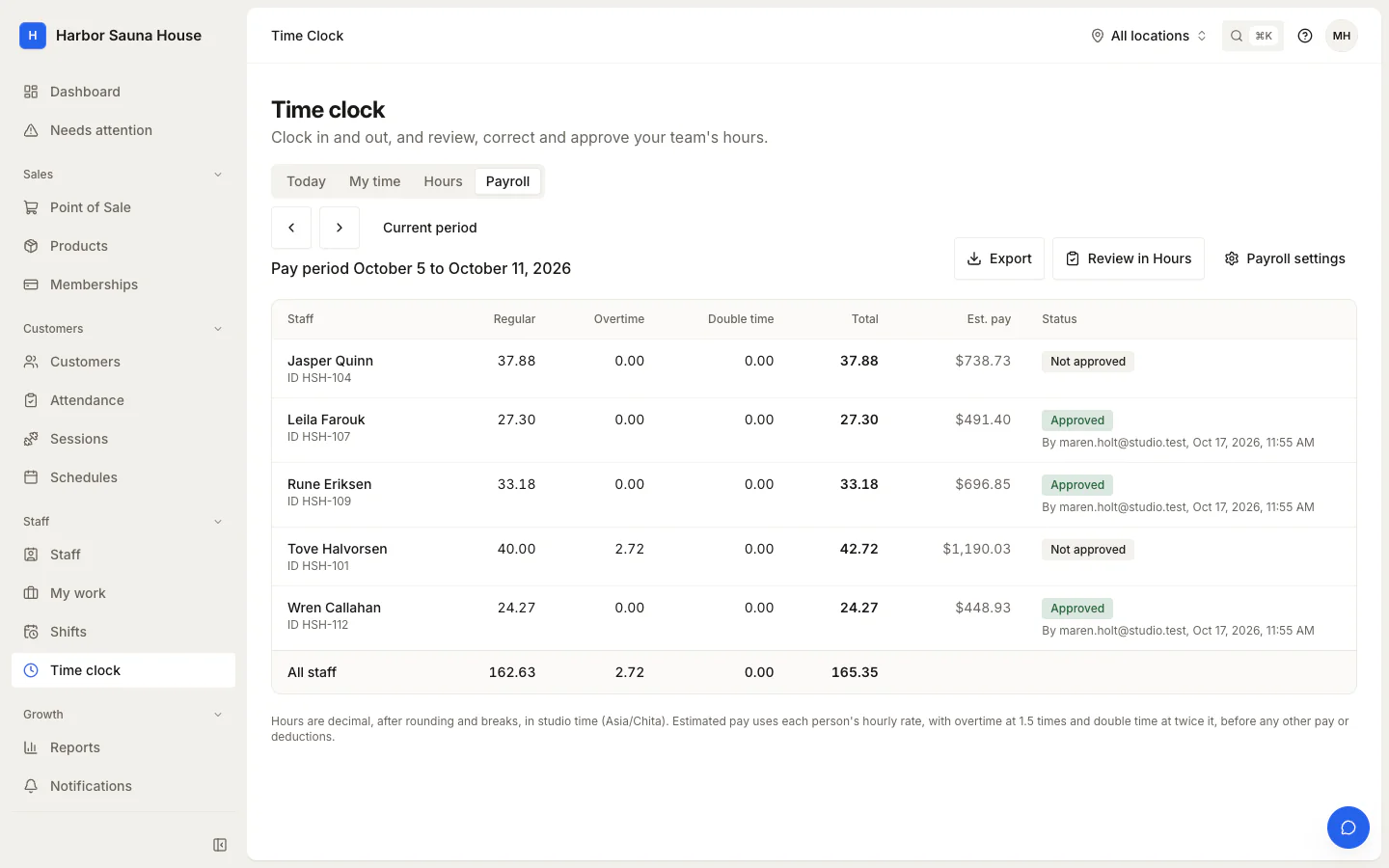
Payroll turns recorded time into regular, overtime and double time hours for each pay period, with estimated pay from each person's hourly rate. Approving a person's period locks its time.
Turn the time clock on when you're ready. Staff clock in and out, and managers check the hours against the schedule before approving them.
Staff clock in with a 4 to 6 digit PIN on a kiosk that belongs to one location. Weak PINs are refused, and repeated wrong ones lock the PIN.
Staff can also clock in and take breaks from Elara in their browser, on a computer or their own phone.
Record how far from the studio each punch was, or require being on site to clock in. Location never blocks clocking out or breaks.
Today's shifts against the clock: who is scheduled, who is working now, and who is late or missing.
Entries are flagged when someone wasn't on the schedule, punched off site, came in or left late or early, or was clocked out automatically.
Managers add missed punches and correct entries, and every punch and change stays in the entry's history.
Guides and reference for setting it up and running it day to day.
Review personal shifts, or build the team rota as drafts and publish a week at once.
Clock in and out, take breaks, and review, correct and approve the team's hours.
Turn recorded time into regular, overtime and double time hours, approve each pay period, and export it for payroll.
No. Elara works out each person's hours and estimated pay and exports them as CSV. Your payroll provider handles taxes, deductions and payments.
Not in Elara. Estimated pay is hours worked times the hourly rate, at 1.5 times for overtime and twice for double time, so per-class pay is worked out outside it.
Yes, from Elara in their phone's browser. You can record where each punch was made, or require staff to be on site to clock in.
Yes. Shifts and kiosks belong to a location, and managers limited to some locations schedule and correct time only there. Payroll covers the whole studio.
See what sold, who came and which plans are growing.
Sell classes and sessions on your own website.
Tell us how many locations you run and what you use today. We'll email you a quote and, if you're switching, what we can bring across.