Booking and membership software for saunas, Pilates studios and gyms
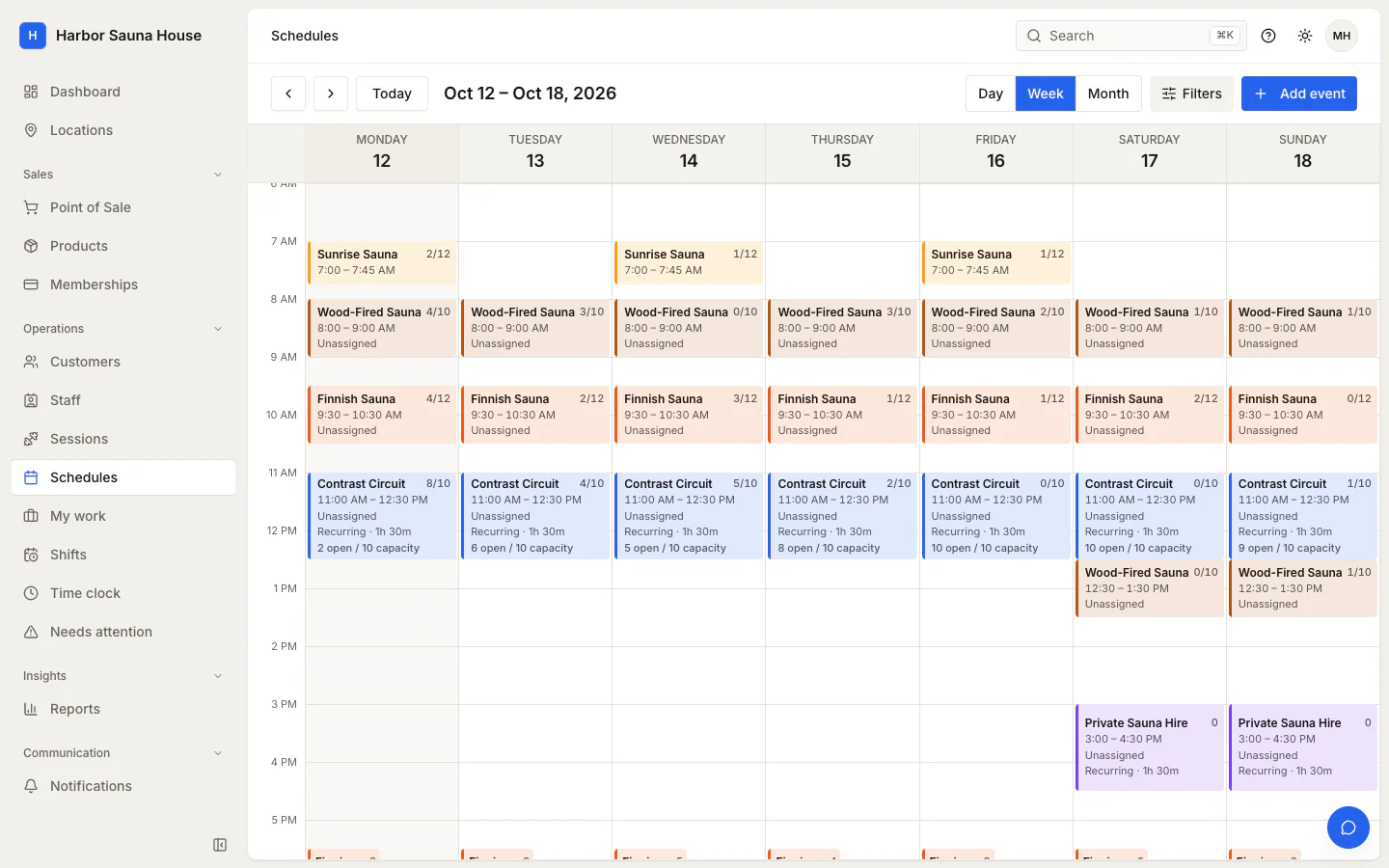
Elara runs booking, memberships and the front desk for studios that sell classes and sessions. Customers book and pay on your own website, and your team sees every booking, balance and waiver on the customer's profile.
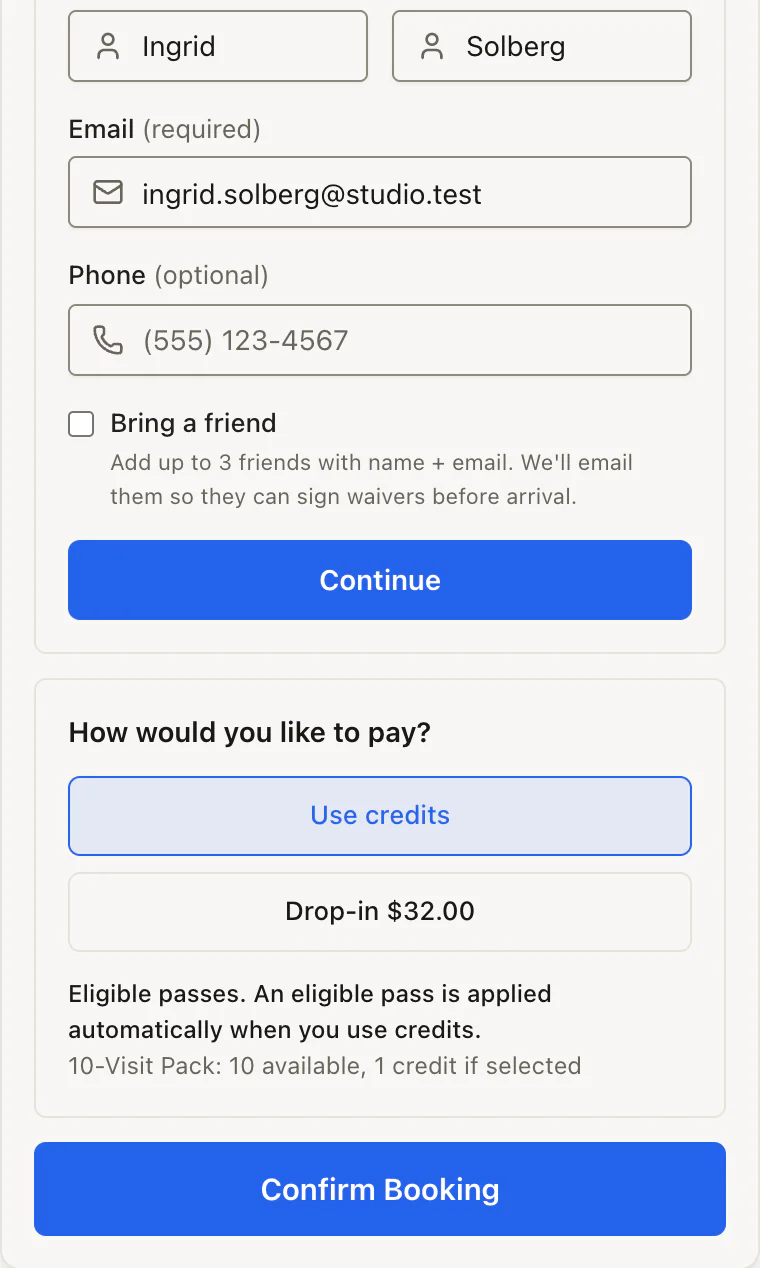
Sell monthly memberships, fixed-term passes and credit packs. Credits come off as people book, renewals bill through your own payment account, and every balance is on the customer's profile.
Run an intro offer as a two-week unlimited pass or a small credit pack.
Charge two credits for a reformer class and one for mat, or limit a pack to the classes it covers.
Include guest passes in a membership so members can bring a friend.
Sell gift cards on your website. They pay for bookings, plans and desk sales.
The roster shows who's booked, who's arrived, who's new and who still owes a waiver or a payment. Staff check people in, add walk-ins and sell a drink or a pack from the same system.
Waivers are signed online before booking. Anyone who hasn't signed does it on a staff device before check-in.
The point of sale takes card, cash or gift card, and every sale shows up in your reports.
Staff clock in at the desk with a PIN, and approved hours export to CSV for payroll.
Your customers, memberships, credit balances and upcoming bookings come across from Kenko or Mindbody, and nothing changes for your members until you switch.
1
Rehearse
A rehearsal reads your Kenko exports or Mindbody snapshot and lists anything that wouldn't import cleanly, so you can fix it before anything changes.
2
Import
Customers, memberships, credit balances, sessions and upcoming bookings come across, and anything that didn't is listed for you.
3
Switch when you're ready
Automated emails wait until you switch over, so members don't get a burst of messages on the day you move.
Members add their card again after the switch, because saved cards don't transfer between payment systems. Coming from Mariana Tek, Arketa, Glofox or something else? Tell us when you ask for a quote and we'll tell you what can move.
Campaigns and automations keep regulars booking, and each new location gets its own schedule, booking page and numbers.
Automations
Booking confirmation
When someone books
Review request
A day after a visit
First-visit feedback
A few hours after a first session
Win-back
45 days without a visit
Email that brings people back
Send a campaign to members, frequent visitors or anyone with a tag. Booking confirmations and membership notices go out automatically, and you can switch on review requests and a win-back email.
Review requests link to your Google or Yelp page and reach each customer at most once every 90 days by default.
First-time visitors can get a private feedback form that lands on their profile.
Win-back emails go once per lapse and skip anyone who already has a booking.
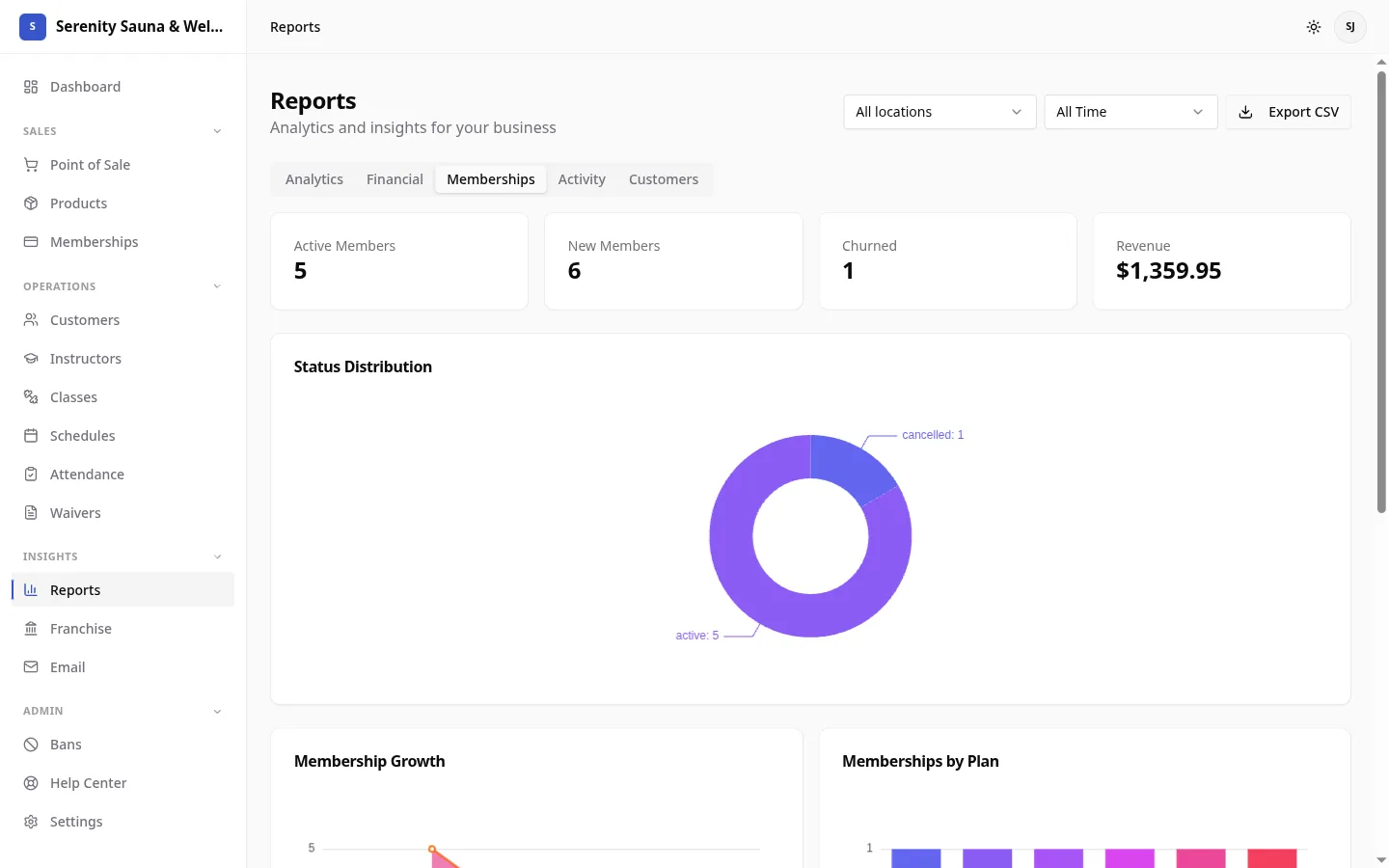
Booking, memberships, payments, email, reports and waivers share one set of customer records, so a sale at the desk shows up on the customer's profile and in your reports straight away.
Studios that sell places in scheduled classes or sessions through memberships, packs and drop-ins: sauna and contrast therapy studios, bathhouses, Pilates studios and gyms that run classes.
Do my customers book on my website or yours?
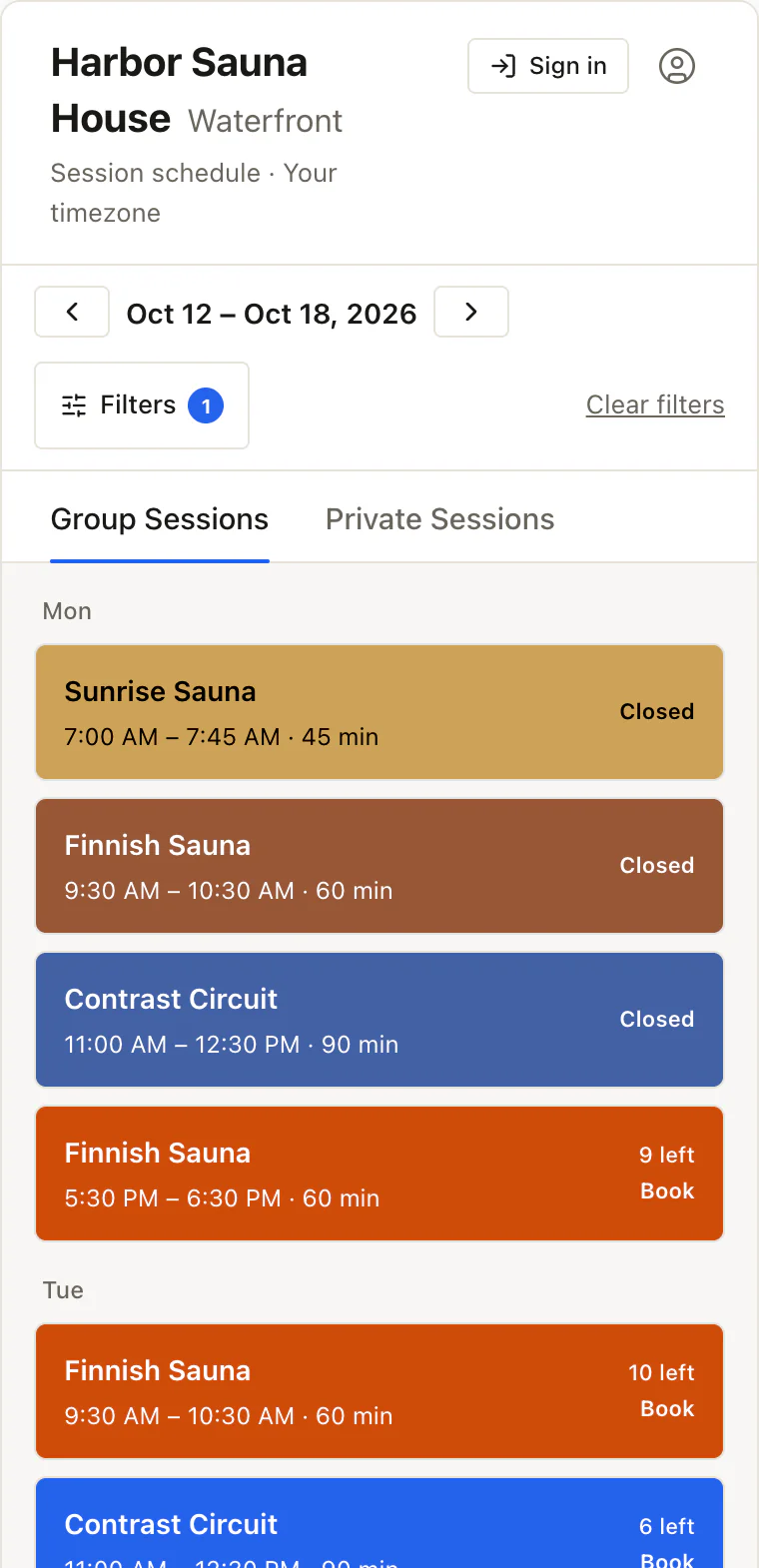
On yours. You add the booking widget to the pages you choose, and customers book and pay there under your studio's name. Your website needs to accept custom HTML.
Do my customers need to download an app?
No. They book on your website and manage their bookings from an account page there. They can also add their bookings to Apple Calendar, Google Calendar or Outlook, and the calendar updates when a booking changes.
Can I move from my current booking system?
Elara imports customers, memberships, credit balances, sessions and upcoming bookings from Kenko and Mindbody, and you can rehearse the import before anything changes. Saved cards don't transfer, so members add their card again. On another system? Tell us which one when you ask for a quote.
Which payment providers can I use?
Stripe or Square, connected from settings, or PayPal once our team turns it on for you. Payments go straight to your own account. Card readers and saved cards need Stripe or Square.
Can I run more than one location?
Yes. Each location has its own sessions and its own booking page, reports filter by location, and staff can be limited to the locations they work at.
Can I control what each staff member can see?
Yes. Each staff member has a role that sets what they can see and change, and can be limited to the locations they work at.
How much does Elara cost?
One monthly price for each location, with every feature included and no percentage taken from your bookings. Tell us how many locations you run on the pricing page and we'll email you a quote.
How does setup work, and who helps?
A setup checklist takes you through locations, sessions, plans, payments and adding booking to your website. We answer questions by email as you go, and if you're switching, we work through the import rehearsal with you.
Can I take my data with me?
Yes. Export your customer list and any report to CSV whenever you like.
Get a price for your studio
Tell us how many locations you run and what you use today. We'll email you a quote and, if you're switching, what we can bring across.