Booking widget for your studio website
Put your schedule, plans, gift cards and customer accounts on your own website. Customers book and pay there, under your studio's name and brand color.
Example: adding booking to your website
- 1
In Elara
Copy the widget code and a schedule widget tag from your website settings, and add your domain to the allowed list.
- 2
On your website
Paste both into an unlisted page that accepts custom HTML. Your sessions appear with the places left in each.
- 3
On your phone
Sign up as a new customer, book a session and check that the booking, payment and customer record appear in Elara.
- 4
Going live
Link to the page from your menu, and customers can start booking.
Session schedule
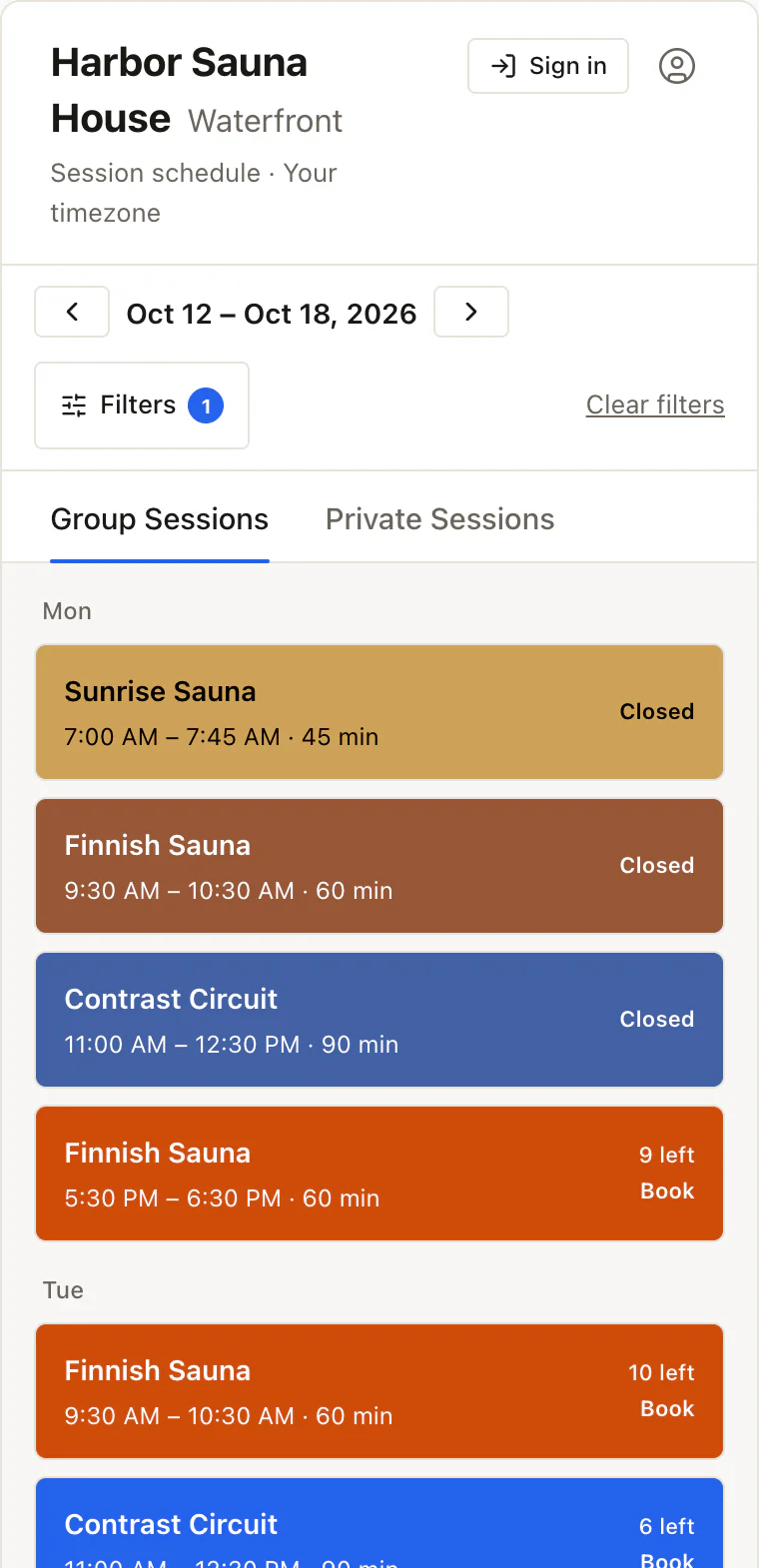
The schedule widget shows your sessions by day or week, with the places left in each. It reads from Elara when the page loads, so changes to your schedule appear without updating your website.
- Filter by location, session type, session or instructor.
- Pin a page to one location, or let customers choose.
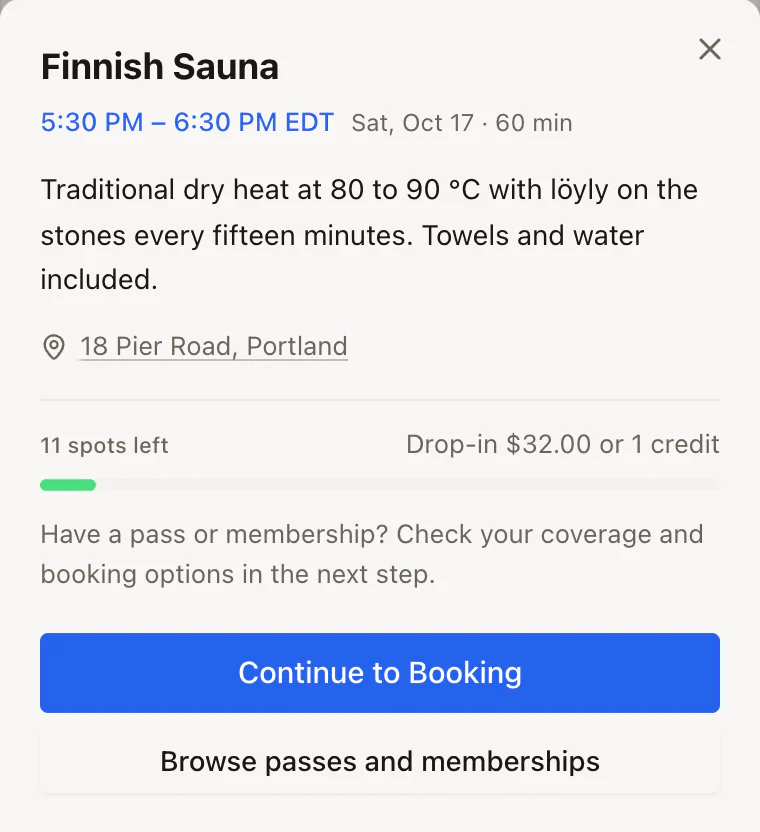
- A session's detail shows its description, instructor, location and price.
- Full sessions offer your waitlist, and sessions further out show the date booking opens.
Checkout
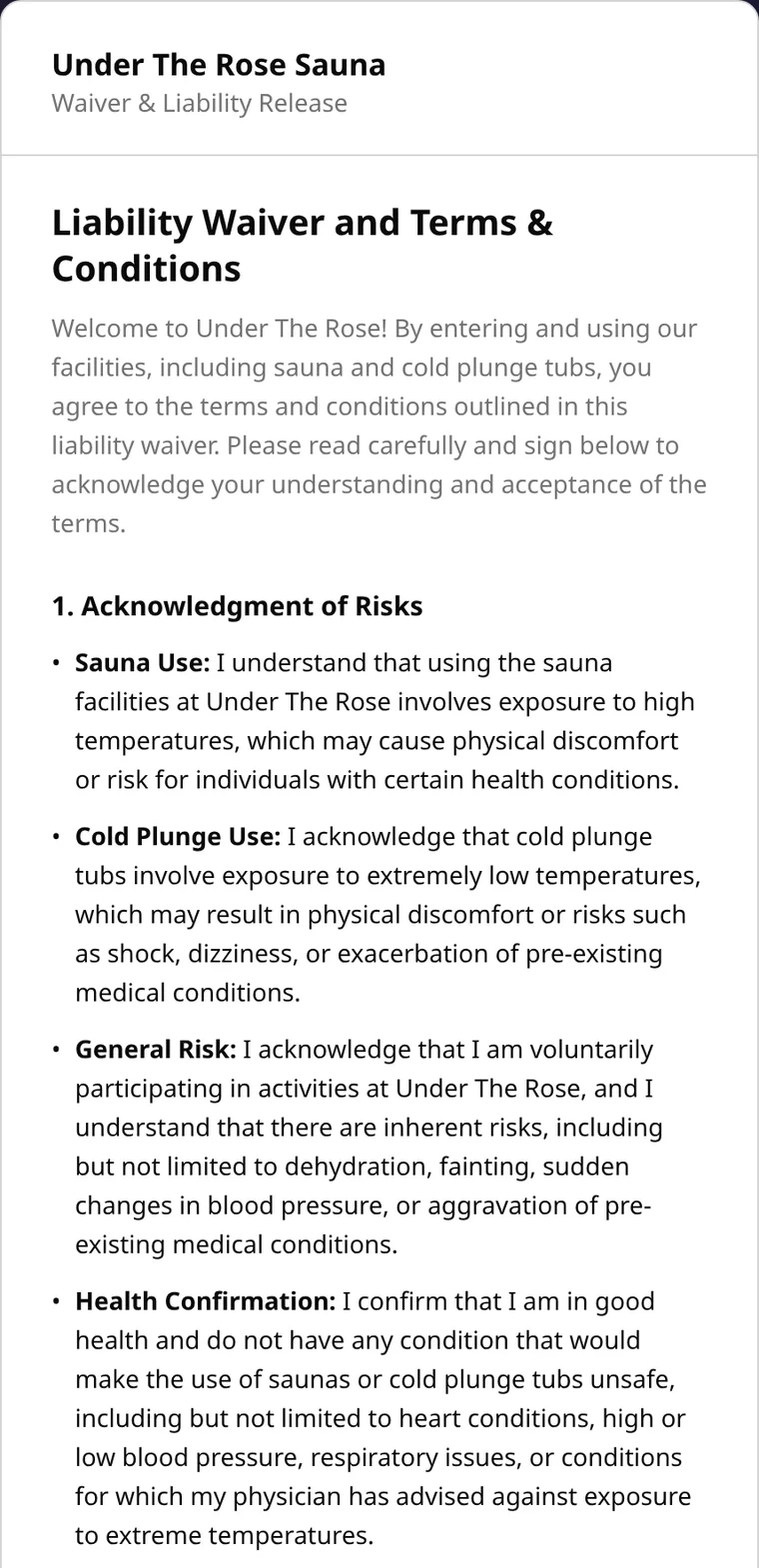
Checkout opens on the same page. A customer who hasn't signed your waiver signs it first, then pays.
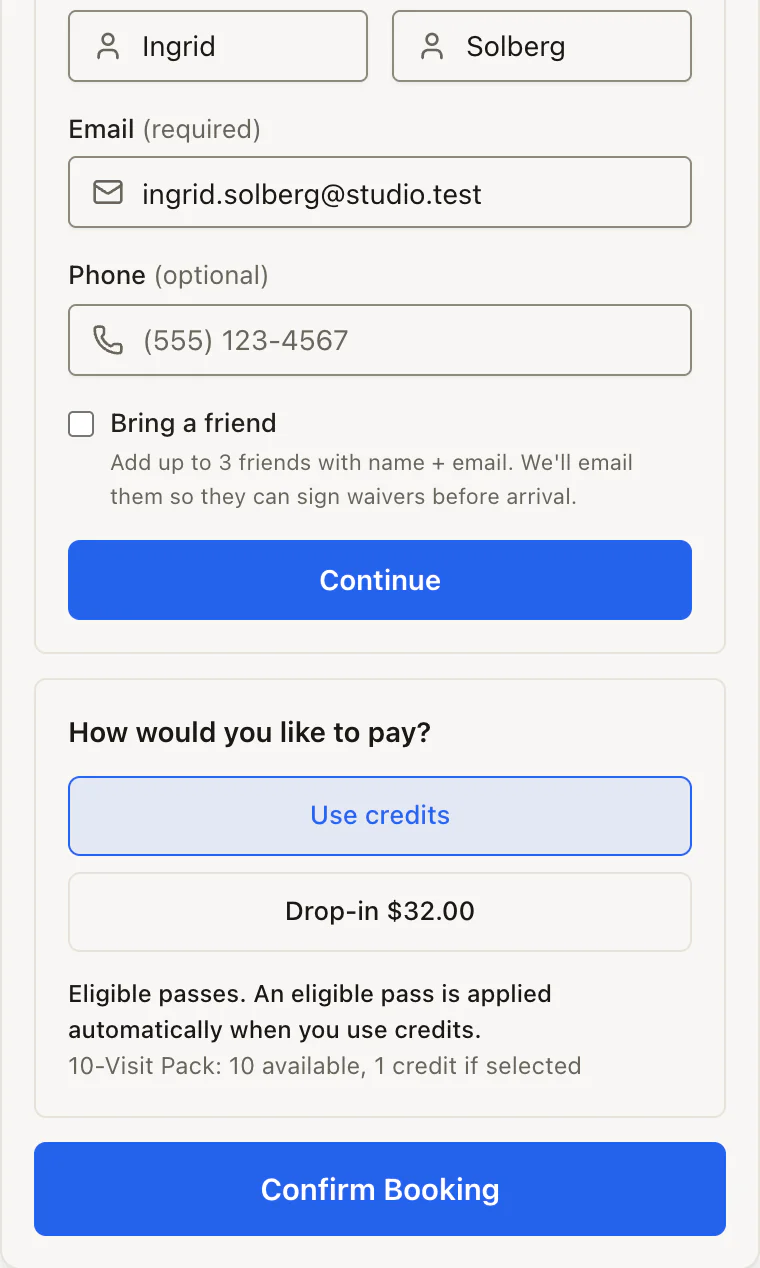
- Pay with a membership, pack credits, a drop-in price or a gift card.
- Add friends and use guest passes in the same checkout.
- Enter a discount code on a drop-in price, or arrive with one applied from its share link.
- Payment runs through your own Stripe or Square account.
Membership plans
The membership plans widget lists your memberships, passes and packs with what each one includes. Customers can buy without creating an account first.
- Packs show their price per credit or the sessions they cover.
- A gift card can pay for a pack, a pass or a membership's first term. Online, it can't pay for a renewing membership that adds sales tax at checkout.
- With more than one location, customers choose their home location.
Plans
Monthly unlimited
Renews each month
$149
Intro, 14 days unlimited
Unlimited for 14 days
$49
10-credit pack
Credits expire 90 days after purchase
$220
Customer accounts
Customers sign in to the account widget with a password or an emailed link to manage their bookings, memberships and payment details.
- Cancel or move a booking until your cancellation window closes.
- Cancel a membership, switch plans, or pause one if you allow it.
- Save a Stripe or Square card, see billing history and choose which emails to get.
- Sign an outstanding waiver.
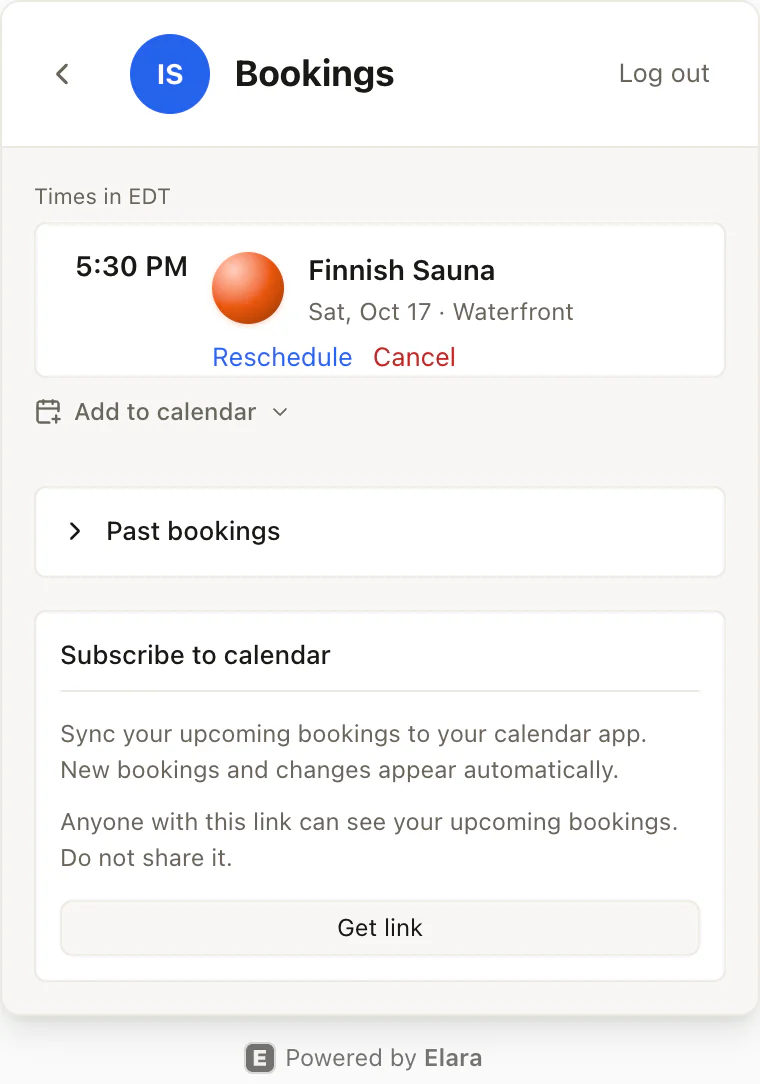
Setup and other widgets
Allowed domains
List the domains your widgets run on. Widgets only work on those sites, and sign-in links only lead back to them.
Your brand
Widgets use your studio's name and brand color, in a light or dark theme or one that matches the visitor's device.
A page per location
Pin a schedule widget to one location for that location's page, or show every location on one page. A plans widget pinned to a location records it as the buyer's home location.
Gift cards
The gift card widget sells cards in amounts you preset or the buyer chooses, and emails the code to the recipient with a message.
Location map
A map of your locations, each linking to its own schedule, for a studio with more than one.
Guides and comparisons
Sauna studio opening checklist: rehearse the first booking
Before a sauna studio opens, book and pay for a session with a friend who has not signed the waiver, then follow both of you to the roster and the refund.
Elara vs Vagaro for class and session studios
A Vagaro alternative for fitness, Pilates and sauna studios: where clients book, whose processor charges and keeps cards, and what to ask Vagaro.
Elara vs Session for sauna studios
Session (bookasession.org) beside Elara: the same private hire, then a desk with no card reader connection and one waiver per booking, from Session's guides.
How it works in the help center
Install on a website (help center)
Add the Elara widget script and place booking or account widgets on a brand website.
Website integration (help center)
Add Elara booking widgets to your existing website with the widget code and a widget tag.
Widget reference (help center)
Reference the supported Elara widget tags, required attributes, and optional attributes.
Testing & launch (help center)
Test website widgets before publishing booking, account, membership, schedule, and location pages.
Customer account (help center)
Let customers manage bookings, memberships, profile details, and account access from your website.
Frequently asked questions
Do I need a developer to install it?
Usually not. You copy two tags from Elara's website settings, paste them into a page that accepts custom HTML and add your domain to the allowed list.
Does it work with Squarespace, Wix or WordPress?
It works on pages that accept custom HTML. Add it to an unlisted page first and make a test booking from your phone. If you're unsure about your website builder, ask us.
Will my website slow down?
The widget script loads in the background, so your pages draw while it downloads, and the embed code holds space for each widget, so the page barely moves when it appears.
Get a price for your studio
Tell us how many locations you run and what you use today. We'll email you a quote and, if you're switching, what we can bring across.