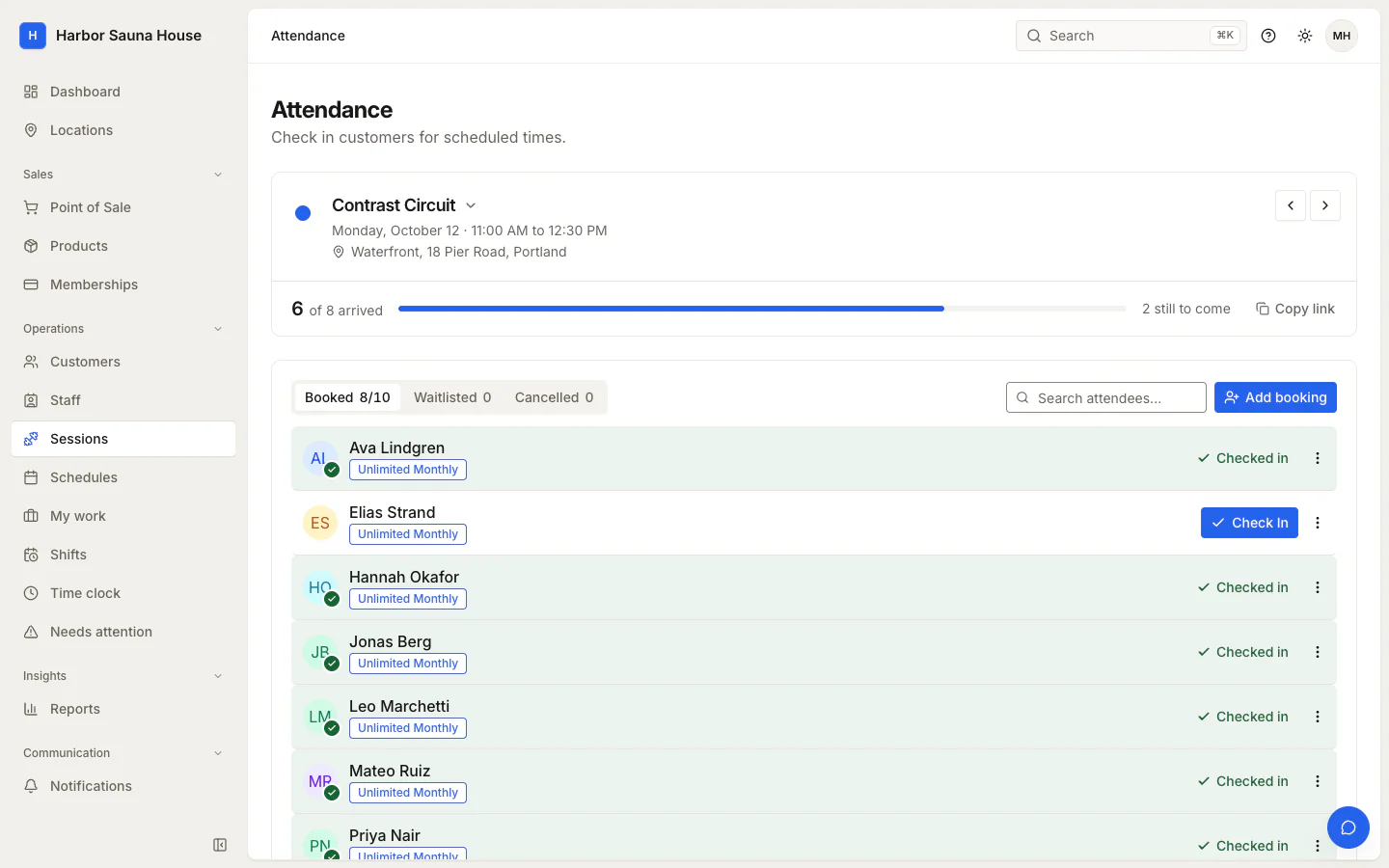
If your coaches program, score and rank workouts in Wodify, Elara does not do that job: it has no workout programming, results, PRs or leaderboards. If they don't, Elara is a Wodify alternative for what a class-based gym runs every day: the class schedule, plans and credits, waivers, payments and staff hours. Elara stops a member at check-in over an unsigned waiver with no setting to switch on, lets one class cost more credits than another, and bills through a Stripe or Square account the gym controls. It also leaves out self check-in, appointments, family accounts, texts and an app-store app, and has no Wodify import.
Check what your plan pays for first
Wodify's pricing page lists Performance Tracking in the Ultimate plan and as an add-on on Essentials and Accelerate.1 That module builds workouts, shows them and a leaderboard on gym TVs, and keeps each client's results, PRs and target weights.2 So your plan answers most of the question:
- Your gym has Performance Tracking and members log every session. Moving to Elara means running a separate workout tool beside it, and Elara has no connection to one.
- You have Performance Tracking and few members use it. Pull your Performance Results report under Analytics > Reporting before you decide.3 The number of people logging results tells you what you would be giving up.
- Your plan does not include it, or your classes are strength, HIIT, boxing or boot camp with no scoreboard. The workout gap costs you nothing.
A late cancel at a 6 a.m. class
This illustrative example uses a class with twelve places, all booked, three people waiting and a one-hour cancellation window. At 5:30 a.m. a member wants out, and another member never shows up. Wodify's steps come from its help center.
| What happens | Wodify | Elara |
|---|---|---|
| The member cancels at 5:30 | The member can cancel, and the reservation is marked a Late Cancellation.4 | The account page refuses the cancel and asks the member to contact the gym, so a person cancels it from the roster.5 |
| The open place | Inside the late cancel window the first person waiting is not added automatically. Everyone waiting is emailed and the first to reply gets in.6 | The first person waiting is booked at once and emailed, with auto-confirm on. Set a booking cutoff and a place freed inside it stays empty, unless staff move someone in.5 |
| The late cancel fee | Can be set to charge automatically, with billing attempted on the nightly run.4 | Staff see the plan's fee when they cancel and either charge a saved card or waive it. On a credit pack, they can instead keep the credit.7 |
| The no-show | Marked automatically after class if the client has not signed in, an hour after by default, and you can change that timer. An automatic fee is billed on the nightly run, and it is voided if the client signs in before midnight that day.4 | Staff mark it on the roster and charge or waive the fee. Bookings left open are marked no-show once the day is over, with no fee. A membership's fee can't be charged after that. A credit pack's no-show fee stays open to staff review for three days, and staff can keep the credit instead of charging it.8 |
Two decisions follow. With automatic charging on, Wodify bills by rule, and Elara has a person decide each fee, so count who would press the button after a 6 a.m. class. Then choose your cutoff: Wodify's help warns that adding someone right before class raises no-shows, and in Elara a person added at 5:30 is inside the cancellation window too. A cutoff of, say, an hour keeps a sleeping member from being booked, but it also closes online booking an hour before every class, and a place freed after that stays empty unless staff fill it. Elara sets the window once for the studio and each fee on the plan, while Wodify lets you adjust its penalties class by class. Our guide to late cancel and no-show fees works through the fee itself.
Whether a waiver can be skipped
In Wodify, Waiver Enforcement is a setting you enable; when on, it stops clients signing into class with a missing waiver or contract tied to their membership.9 A waiver goes to everyone or to people with access to chosen programs, and editing a signed one prompts you to re-send it.10 With enforcement on, a coach cannot sign that client in either until the documents are signed.11 So in Wodify, the answer depends on whether the setting is on.
In Elara nothing has to be enabled. Every customer owes every active waiver, and changing the text creates a new version that everyone who signed the old one must accept before their next online booking.12 A booking staff make for someone unsigned still goes through, but check-in is refused until they sign, on their phone or a staff device.13 Two limits apply. Guests on a private booking are recorded by name and do not sign, and Elara has no guardian signature, so each customer signs for themselves.
Side by side
| Elara | Wodify | |
|---|---|---|
| A class that counts for more | Each session sets its own credit cost, so a two-hour workshop can take two credits from the pack that pays one for an hour's class.14 | Limited plans count each sign-in, and can warn or refuse sign-in at the limit. The cited page does not say whether one class can count as more than one.15 |
| A team books a whole class | A session with private booking turned on can be booked whole while nobody else holds a place, for one flat price or credit cost.16 | Class limits, reservations and waitlists. The cited page does not describe booking out a whole class.6 |
| A paid drop-in on a full class | Joining the waitlist charges the drop-in price up front, refunded automatically after the session if no place opens.5 | The cited page does not describe paying to join a waitlist.6 |
| A second location | One studio account. It connects one payment account per provider and charges in one currency, so no location has a payment account of its own, and locations that bill separately today would share one.17 A manager's sessions, bookings, reports, shifts and timesheets can be limited to their own locations. Customers, payments and the point of sale, memberships, payroll and settings stay studio-wide, so anyone who can take payments can sell at any location.18 | Unlimited locations in one account, where "Admins, managers, and coaches will be able to access information across both locations".19 |
| Staff pay | A time clock and payroll that turns hours into regular, overtime and double time for export. Pay is hourly only.20 | A staff payroll calculator for classes.1 |
What leaving Wodify takes
Wodify requires at least 30 days' notice to cancel Core, counted from your first request.21 Elara's Migration Center imports from Kenko and Mindbody only, so nothing below imports automatically.
| What you have in Wodify | How it comes out | Where it goes in Elara |
|---|---|---|
| Client list | A spreadsheet from People > Clients, with contact details, emergency contact, status, member-since date and last attendance. The listed fields do not include plans or remaining classes.22 | Customers are set up by hand. A customer has to exist in Elara before their cards can be linked. |
| Plans, class schedule, waivers | The cited pages describe no export. | Rebuilt as plans, credit packs and sessions. Every customer then signs Elara's waivers. |
| Reports, including attendance and financial | Download before you close. Access ends when the account is deactivated.3 | Kept as your own files. |
| Workout results and PRs | The Performance Results report, and members can ask Wodify support for their full history.23 | Nowhere. Elara stores no workout data. |
| Saved cards | Depends on who controls the account. See below. | A Stripe or Square account you control. Renewals restart differently on each: see below. |
| A custom Wodify website | PushPress, a competitor, says Wodify Sites content "isn't portable".24 | Elara members book in widgets on your website, so you need a site of your own first. |
Cards decide the hard part of the timeline. Wodify Payments is "backed by Stripe",25 and a gym applies for it inside Wodify, with its details going to Stripe.26 PushPress says a Wodify gym is "a sub-account under Wodify's Stripe", and that moving cards needs the old provider to export them in a Stripe-compatible format.24 The Wodify pages we read do not say who controls the account or whether cards can be exported, so ask Wodify both in writing before you set a date.
Elara connects a Stripe or Square account you control from Payment settings,27 and it never creates the account for you, so the account stays with you. If Wodify's answer is that you can't connect the account, the cards have to be copied to an account you own, or members save a card again. Stripe's process for that is in our guide to moving saved cards.
Every membership here is set up by hand, so a saved card alone bills nobody: no charge runs until the member acts, and staff cannot enter a card or act for them. On Stripe, give each membership an end date on the last day the member has paid for. During that last billing period the member sees Keep my membership in their account, picks or adds a card, and pays from the day after. It is offered on monthly and yearly plans priced above zero with no minimum commitment, and a member who does nothing is not charged and the membership ends. Square has no Keep my membership and nothing can be arranged ahead: the member buys the plan again once it ends.28 A membership you set up by hand with an end date works as the guide describes for an imported one.
Wodify's checklist says invoices stop once you uncheck every location in the merchant configuration.3 Do that before the first Keep my membership charge, or a member still billing in Wodify is charged twice. A Stripe member who has not acted by their end date then pays neither system and the membership ends, so tell members the date and what to press well before it.
What Elara leaves out
- Workouts. No programming, results, PRs, leaderboards or workout displays, no workout marketplace and no heart-rate tracking. Wodify's pricing page lists workout building and tracking, its marketplace and heart-rate tracking,1 and its Performance Tracking page covers the rest.2
- Appointments. No appointment book. A one-to-one session is a session with one place.29
- Self check-in and door access. Only staff check members in, from the session roster, and entry stays with your access system.30 Wodify offers self sign-in in its app and a 24/7 Access add-on.31,1
- Family accounts and belt ranks. Each customer holds their own plans. Wodify lists Family Groups & Shared Payments and Progressions & Belt Tracking.1
- Sign-up fees, contracts and weekly billing. Elara plans have no sign-up fee, weekly interval or minimum term.
- Texts. Email only, with no reminder before a booked session.32
- A member app in the app stores. Members book in widgets on your website.33
- ClassPass and Wellhub connections. Wodify lists both as integrations.1 Elara has no live connection to either; staff enter a ClassPass visit on the roster by hand.34
Get a quote
Ask for a quote, or email admin@goelara.app. Tell us how many of your members log workouts, how your plans count classes, how many locations you run and what Wodify tells you about your cards. The gyms page shows a new member's first week on a class timetable.
Wodify is a trademark of its owner. Elara is not affiliated with, sponsored by or endorsed by Wodify.