Elara is a TeamUp alternative for a small class studio or gym that wants a heavier class to cost more credits, and a freed place to go past anyone on the waitlist who cannot cover the class. TeamUp's help center says: "By default, registering for an event costs one credit from the pack."1 Its waitlist adds the next person automatically until a day before class by default, a window an owner can shorten to minutes, but someone who misses a condition is still held a place to accept, for 30 minutes by default.2 Elara sets a credit cost on each class and books the next person who can cover it straight away. It also leaves out a long list of things TeamUp has: family accounts, a member app, texts, monthly class allowances, standing reservations, appointments and direct debit. If your members depend on any of those, read What Elara leaves out before the rest.
This page compares TeamUp, the fitness software at goteamup.com owned by DaySmart,3 not the Teamup Calendar app.
A place opens: who gets it, and when
This gym is hypothetical. Its Thursday 6:00 pm class holds twelve, all twelve are booked, and three people are waiting. Both columns use default settings, which in Elara means auto-confirm on and no booking cutoff. The TeamUp column comes from its help center, not a test account.
| The place opens | Elara, default settings | TeamUp, default settings |
|---|---|---|
| Wednesday 3:00 pm, 27 hours out | The first person waiting is booked and emailed. A credit is used only then.4 | More than a day out, so the first person is added automatically if their forms, waivers, membership and credits are in order.2 |
| Wednesday 3:00 pm, and the first person has no credits left | They stay on the waitlist and the next person who can cover the class is booked. | The place is held 30 minutes for the first person to accept, then offered to the next.2 |
| Thursday 2:00 pm, 4 hours out | The first person is booked and emailed. | The place is held 30 minutes for each person. If all three let it lapse, it sits unfilled until 3:30 pm.2 |
| Thursday 5:50 pm, 10 minutes out | The first person is booked and emailed, unless you set a booking cutoff. | The 30-minute hold runs past the start.2 The cited pages do not say what happens then. |
Rows 3 and 4 move with TeamUp's settings. Its auto-registration window is set in days, hours and minutes, so shortened to minutes, a member who meets every condition is added automatically until just before class, and the trade comes close to Elara's. The hold can be changed too.2 Row 2 is the difference that lasts: no setting on the cited pages adds someone short of credits, so they still get a hold, while Elara goes on to the next person who can cover the class.2
An optional overnight blackout stops a held place expiring while people sleep: in its example, a place freed at midnight waits until 7:30 am.5 The hold lets the person decide, and the place sits empty while they do.
Elara makes the opposite trade, and it has a cost. Someone moved in four hours before class is booked whether or not they read the email, and inside your cancellation window, 24 hours by default, they cannot cancel online. Two settings soften that. A booking cutoff of an hour leaves a place freed in the last hour empty unless staff move someone in, and turning auto-confirm off sends each move to staff to approve.4 The cutoff applies across the studio. Auto-confirm is a studio setting that a session can override with its own. See booking for the rest of the waitlist.
What one pack can charge
Take the same hypothetical gym, with a one-hour class and a two-hour Saturday workshop it wants to count double. A member buys a ten-credit pack and comes to 3 workshops and 4 classes.
| Elara | TeamUp | |
|---|---|---|
| Credits used | 3 × 2 + 4 × 1 = 10, and the pack is finished | 7 registrations use 7 credits, and 3 are left |
| How the workshop earns more | Inside the pack: it takes two credits | At each booking: you can add a charge for that event type on top of the credit1 |
| A shorter class worth less | A credit cost of 0.56 | "Each registration always deducts exactly one credit from the pack, regardless of the class."7 |
In Elara the member pays once and spends freely, and you price the pack knowing a workshop uses two credits. In TeamUp the member pays again at each workshop. Elara packs can be limited to chosen session categories, but not capped by class type or by week. TeamUp has both of those: a ceiling per class type inside a pack and frequency limits by day, week, month or year.1
Side by side
| Elara | TeamUp | |
|---|---|---|
| You rewrite the waiver | Changing the text creates a new version, and everyone who signed accepts it before their next booking or check-in.8 | A signed waiver is changed with Archive & Copy, choosing whether all customers sign again or only new ones. Customers sign before or after their first applicable booking, as you set.9 |
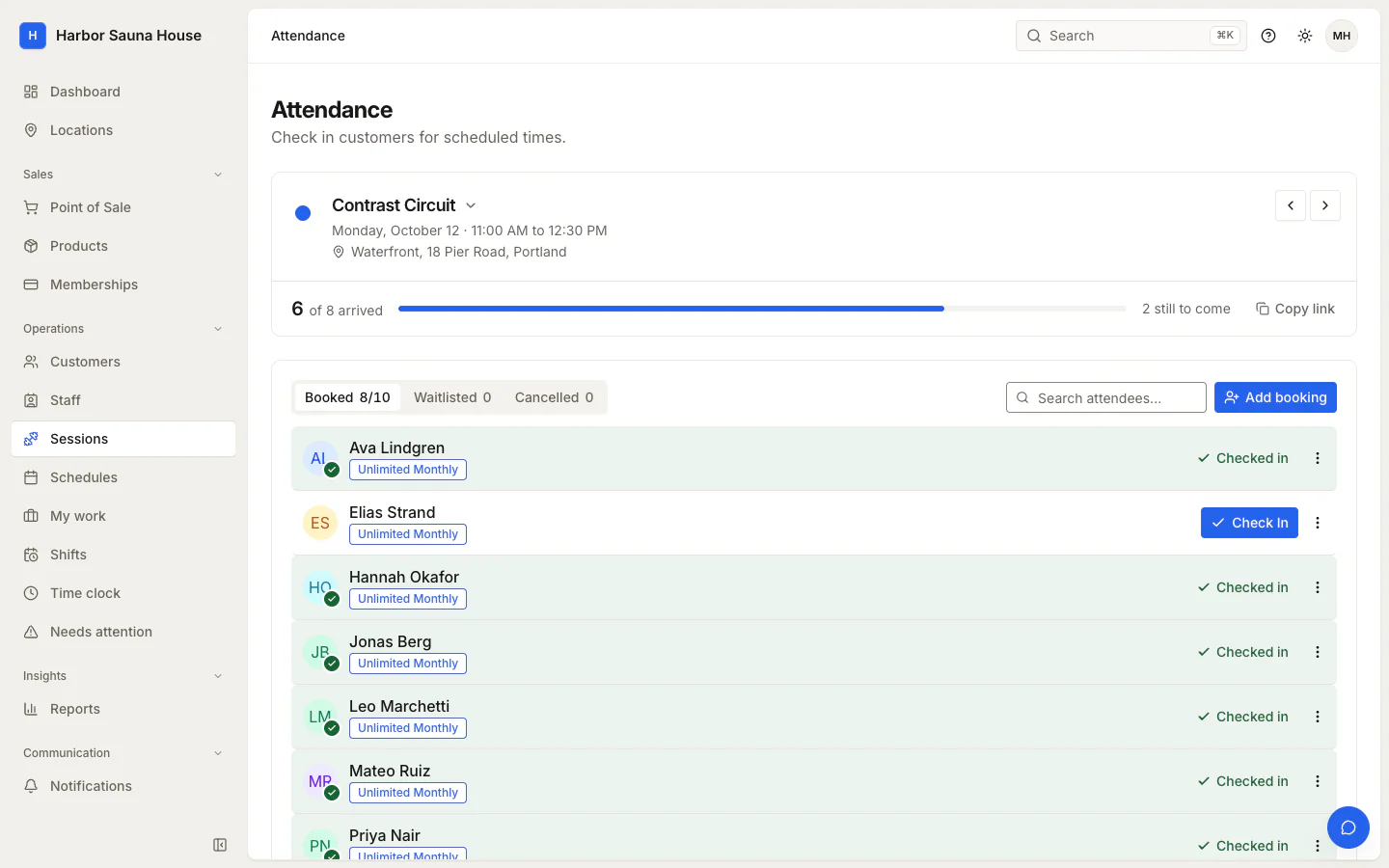
| An unsigned member arrives | The roster flags them and check-in is refused until they sign. | The Check In tool flags missing waivers on the profile.10 The cited pages do not say attendance is refused. |
| A group wants the whole class | A customer can book a session whole at one price while nobody else holds a place, and it closes to everyone else.11 | Rooms, courts and studios can be booked as Rentals.12 The cited pages do not describe booking out a class open for single places. |
| A member brings a friend | The member adds the friend's name and email to their booking, and the friend takes a place.13 | The cited pages do not describe it. |
| Staff hours | Staff clock in from the dashboard or a front-desk kiosk, and hours become regular, overtime and double time for export. Pay is hourly only.14,15 | A report shows hours taught and earnings from pay rates.16 The cited pages do not describe a time clock. |
| Card processing | Stripe or Square, on an account you control.17 | Stripe for cards and GoCardless for direct debit. Its integrations page does not mention Square.18 |
| Interac at the desk in Canada | A studio charging in CAD takes Interac on a Stripe reader, though Elara cannot refund it.19 | Its reader page covers Canada and does not mention Interac.20 |
What moving involves depends on who bills your members
Elara connects only an account you control, so start from where the money runs today.
| You bill through | What happens in a move to Elara |
|---|---|
| Your own Stripe account | Connect it. Elara reads the account without charging anyone until you go live. Cards saved on each customer you link to a member become usable in Elara, so they are not entered again. Link them before you go live: a member who adds a card first gets a new customer record.21 TeamUp's help says Stripe generally allows one third-party integration at a time and payments may not process during the gap, so plan that day.22 |
| A Stripe Express account made during setup | TeamUp treats this as a case for its support team.22 Ask who controls the account. If it cannot be connected, its cards have to be copied to an account you own. |
| GoCardless | Elara does not connect it and takes no direct debit, so those members save a card once your account is live.21 |
TeamUp's guide to leaving lists a customer CSV, membership reports and invoices to download, and asks for at least 7 days' notice. No new payments start once the account closes. Stripe payments run until then unless you stop them or hold the memberships, and pending GoCardless payments may still process.23
Elara's Migration Center does two separate jobs. Its imports read Kenko and Mindbody exports only, so members and plans are set up by hand from TeamUp's CSV and upcoming bookings recreated. Past payments and attendance do not come across, so TeamUp's downloads stay your record. Its sweep is different: it reads the customers, plans and subscriptions on a connected Stripe account, whichever software used that account before, so you can link them to members.21 A member has to exist in Elara before their cards can be linked, so enter them and link them before you go live. Once you are live, a member who adds a card gets a new customer record, and moving them back to the old one means choosing Suspend billing, which stops every checkout and renewal on the account until you go live again.21
Who charges each renewal after the move
Moving a card does not restart anyone's billing, so decide this for every recurring member before you set a date.
- A subscription billing on your Stripe account. Ask TeamUp whether its renewals run as subscriptions on your account or as charges it starts itself. Its help says it retries failed renewals itself,24 and does not say which. A subscription found on the account must be linked to a membership or ended before you go live, and the go-live check sees only what the latest sweep found, so sweep again right before going live. Going live neither cancels nor recreates a subscription, so a linked one keeps charging the card it already uses.21
- A member you entered by hand. Nothing bills them yet. Give the membership an end date on the last day they have paid for. On a live Stripe account, the member then sees Keep my membership in their account during that last billing period, picks a saved card or adds one, and pays nothing until the day after the end date.21 It is offered on monthly and yearly plans priced above zero with no minimum commitment, and not on a membership that is paused or set to cancel. A member who does nothing is not charged, and the membership ends on that date. On Square it is not available, and members buy the plan again.21 Our guide to moving saved cards describes imported memberships, and one you set up by hand with an end date works the same way.
If TeamUp is still charging a member when Keep my membership starts, they are charged twice, so stop their TeamUp payments before that first date.
What Elara leaves out
- Families. Each Elara customer holds their own plan and signs their own waivers. TeamUp has family accounts for children and dependents,25 and one membership can be shared across them.26
- Monthly class allowances. An Elara plan does not renew a set number of classes, so eight classes a month is an eight-credit pack bought again. TeamUp limits a monthly membership to a number of classes.27
- Standing reservations. Elara members book each date. TeamUp can book a customer into the same class every week.28
- A member app. Elara members book in widgets on your website, with no app in the stores. TeamUp has iOS and Android apps,29 and a custom branded app as an add-on.12
- Texts. Elara sends email only, with no reminder before a booked class.30 TeamUp sends automated and broadcast texts in the US and Canada.31
- Direct debit. Elara does not take it, so a member paying from a bank account today saves a card. TeamUp bills through GoCardless.18
- Appointments, courses and on-demand video. Elara has no appointment book, so a one-to-one session is a class with one place, and no course enrollment or video library. TeamUp runs appointments and courses beside classes,32 and has on-demand content.33
- Open gym and the door. Elara staff check people in from a class roster, and there is no door access or scanning. TeamUp checks in members with no class booked,10 and connects Kisi.34
- ClassPass. Elara has no live connection, so staff enter a visit on the roster by hand.35 TeamUp integrates ClassPass.36
- Failed renewals. Elara has no retry schedule of its own; any retry is Stripe's or Square's. TeamUp retries a failed Stripe renewal every 24 hours up to a limit you set.24
- Partial refunds. A connected card payment is refunded in full only.37 TeamUp can refund part of one.38
- Joining fees. Elara plans have no sign-up fee. TeamUp adds one to a recurring membership.39
- Integrations. The Elara API reads data only, with no webhooks and no Zapier app. TeamUp has a Business API with webhooks,40 and Zapier.18
Get a quote
Ask for a quote, or email admin@goelara.app, with the classes you run in a week, the plans and packs your members hold, and whether you bill through Stripe or GoCardless. The gyms page shows a class timetable in Elara. If you are comparing gym software more widely, read Elara vs Gymdesk and Elara vs Glofox.
TeamUp is a trademark of its owner. Elara is not affiliated with, sponsored by or endorsed by TeamUp or DaySmart.