Elara is a Gymdesk alternative for a gym that runs on a class timetable and wants the class itself to hold the rules: no check-in on an unsigned waiver, and a waitlist that moves when you add places. Gymdesk's help center says its documents do not control attendance,1 although an unsigned required document can stop a member opening a Rhombus-connected door from its app.2 It also says that raising a full session's limit "will not reopen spots for waitlisted participants".3 Elara has no family accounts or belt ranks. It also leaves out self check-in, door access, texts, a customer app in the app stores and an import from Gymdesk.
Gymdesk began in 2016 as Martial Arts on Rails, in jiu-jitsu schools, and took its current name in 2022 to serve every kind of gym.4 It sets promotion requirements by program and lets one primary member pay for and manage a family.5 Elara is built for the timetable of a gym that runs classes and has neither. A boxing or fitness gym of adults with no belts to award never reaches that limit. A kickboxing or MMA gym that grades students, or teaches juniors on a parent's account, reaches it on day one: promotions and children's billing are outside Elara's scope.
One full class in both products
This gym is hypothetical. Its Saturday 10:00 boxing class holds twelve, one member to a bag. All twelve places are booked, two members are waiting, and members hold monthly plans or credit packs. The Gymdesk column comes from its help center, not a test account.
| This week | Elara | Gymdesk |
|---|---|---|
| Monday: you rewrite the waiver to cover partner drills | Changing the text creates a new version. Everyone who signed must accept it before their next online booking or check-in, with nothing for staff to send.6 | A template can be added to a profile, membership, sign-up form or booking form.1 The cited pages do not say whether members sign again after a template changes. |
| Thursday: a member cancels | With auto-confirm on, the first person waiting takes the place and gets a confirmation email. A credit is used only at that moment, and a member who cannot cover it stays waiting. Someone who paid the drop-in price to wait is refunded if no place opens.7 | The next person is added automatically and emailed. On a paid class an invoice is generated then and sent with the confirmation, to be paid online.3 |
| Friday: you borrow two bags and raise the class to fourteen | Raising capacity frees places, so the next person waiting moves in.7 | "Increasing the session limit after it is full will not reopen spots for waitlisted participants."3 |
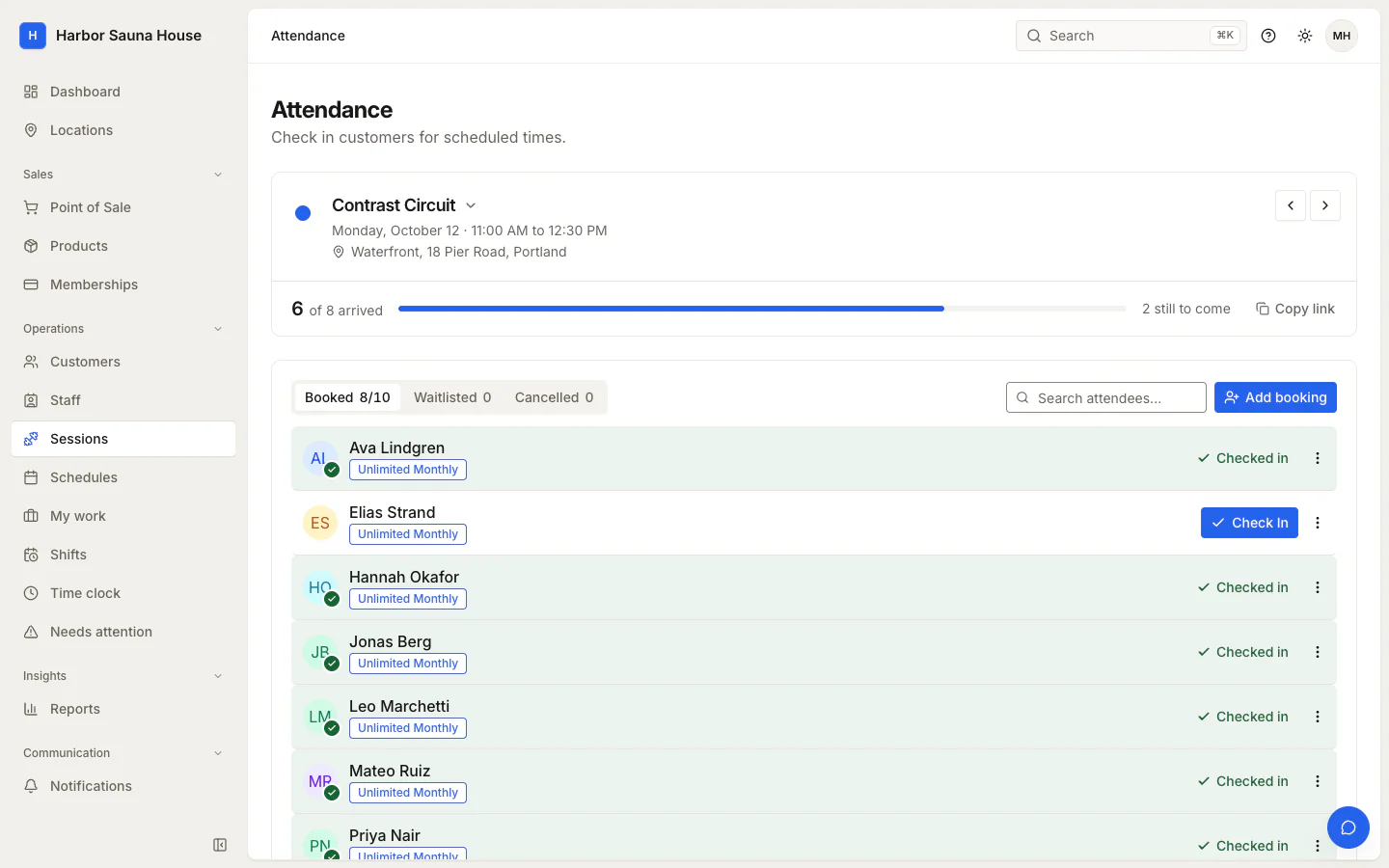
| Saturday: a member arrives who has not signed the new version | The roster shows Waiver Update Required. Check-in is refused until they sign on your device or from an emailed link.8 | Attendance settings can require an active membership, a booking or a first payment.9 Booking settings can require a document signature.10 With Rhombus door access, a member with "an unsigned required document" cannot open the door from the app, so they may be stopped before the desk.2 The cited pages do not say that the check-in screen waits for one. |
| Saturday: a member brings a friend | The member adds the friend's name and email to their booking, and the friend takes a place. A friend new to the gym is emailed a link to review the booking and waivers, and check-in still waits for the signature.11 | The cited pages do not describe a member adding a friend to their own booking. A newcomer books through the website widget.3 |
| Saturday: a member does not come | Staff mark the no-show that day and choose to charge the plan's no-show fee to a saved card or waive it. On a credit pack the credit stays spent, unless the pack has a no-show fee: then staff can instead charge or waive it and return the credit.12,13 | Booking settings can deduct a session automatically for a no-show,10 and the glossary lists an optional fee for late cancels and no-shows.14 The cited pages do not say whether staff decide each case. |
The help center leaves those rows open, so put them to Gymdesk directly: does a member sign again when the waiver text changes, can check-in refuse an unsigned member, and can a member bring a friend on their own booking? For the policy behind the last row, see late cancel and no-show fees. Waivers and booking cover Elara's side in more detail.
Side by side
| Elara | Gymdesk | |
|---|---|---|
| A class that counts for more | Each class sets its own credit cost, so a two-hour clinic can take two credits from the pack that pays one for an hour's class.15 | Gymdesk does this too. A session's Session Count can be set above one: at 2, it "will deduct 2 sessions from the membership".16 A membership sets sessions per term and limits them to programs or sessions.9 |
| A class sold whole to one group | With private booking on, a customer can book the class whole at one price while nobody else holds a place, and it then closes to everyone else.17 Guests are recorded by name only and are not asked to sign a waiver,6 and an unlimited membership does not cover the booking. | A class can have several booking options, each with its own capacity and price,3 and private lessons can sit on their own calendars.18 The cited pages do not describe a customer booking out a whole open class. |
| Staff hours | Shifts are published to the team. Staff clock in from the dashboard on a computer or phone, or with a PIN at a front-desk kiosk, and hours become regular, overtime and double time for export. Pay is hourly only.19,20 | "Hourly pay is tracked by manually logging hours worked." Per-class pay comes from staff check-ins, and rates and totals export as a CSV.21 |
| Several locations | Customers, plans, waivers and payment accounts belong to the studio, so no location has a payment account of its own. Reports show one location or all of them.22 | Each location has its own schedule, memberships and reporting, with members and billing connected,14 and can have its own Gymdesk Payments account.23 Settings are copied between locations.24 |
| Class reminders | Email automations and campaigns. No texts, and no reminder before a booked class.25 | Confirmations, reminders and no-show alerts by email and text.10 |
| A failed renewal | No retry schedule of its own; any retry is Stripe's or Square's. By default the member is emailed,25 and each failed attempt appears in the Failed Payments report.22 | Automatic retries two, four and seven days after the payment date.26 |
Where your members' payment details sit decides the switch
Gymdesk says card details "should be transferred directly between payment providers".27 Elara connects only an account you own, on Stripe or Square, so the move depends on the processor you bill through today:
| You bill through | What happens in a move to Elara |
|---|---|
| Your own Stripe account | Connect it. Elara takes no payments on it until you go live, and you sweep it from the Migration Center, which reads its customers and subscriptions so you can link them to members. A linked customer can pick their old card when they choose Keep my membership in their account, instead of entering it again.28 |
| Your own Square account | Connect it. As on Stripe, Elara takes no payments on it until you go live, and you sweep it and link customers from the Migration Center. Once it is live, staff can charge a linked customer's saved card at the register,29 but Keep my membership isn't available, so a monthly member buys the plan again.28 |
| Authorize.net | Elara does not connect it. Authorize.net has to send the card data to a Stripe or Square account you own, or members save a card again.28 |
| GoCardless | Gymdesk says it handles bank transfers only, with "no card payments",30 so there is no card to send, and Elara does not connect it. Members save a card in Elara once your account is live.28 |
| Ezypay | Gymdesk says it bills bank accounts and cards, depending on the region.30 Elara does not connect it. Members paying from a bank account save a card in Elara. For cards, ask Ezypay whether it will send them to a Stripe or Square account you own; if not, those members save a card again.28 |
| Gymdesk Payments | Gymdesk's help describes tokens coming in from another processor.31 Its processors page says "your data and member cards come with you" and "we don't block payment tokens from moving where you want them", and that a few processors refuse to release tokens.32 It does not say how that works for tokens leaving Gymdesk Payments for another platform, so ask Gymdesk first. |
No recurring charge moves with the cards. Unless a subscription on your own account is linked to a membership, each plan is set up in Elara with an end date. On Stripe the member then chooses Keep my membership during its last billing period, keeps their start date and pays from the day after. On Square the member buys the plan again from the day after it ends, with a new start date, and cannot book until they do.28 Our guide to moving saved cards describes imported memberships. A membership you set up by hand with an end date works the same way.
The Migration Center reads Kenko and Mindbody exports only, so members and plans are set up by hand and upcoming bookings recreated. Past payments and attendance do not come across, so keep an export from Gymdesk.33 A member has to exist in Elara before their cards can be linked. A subscription still billing on the account must be linked to a membership or ended first, and the go-live check sees only what the latest sweep found, so sweep again right before you go live.28 Ask Gymdesk whether its recurring charges run as subscriptions on your account or stop when you leave, so no member is charged twice.
The gym side Elara leaves out
- Family accounts and guardian signatures. Each customer holds their own plan and signs their own waivers. In Gymdesk a primary member pays and manages the family,34 and a guardian can sign for a minor.35
- Belt ranks and competition. Elara has no ranks, promotions or tournament records. Gymdesk runs promotions from a report,36 and Smoothcomp joined it in October 2026.4
- Self check-in, open-gym attendance and door access. Only staff check members in, from the class roster, and entry stays with your access system.37 Gymdesk has a front desk kiosk, app check-in and attendance with no class scheduled,38 and fob or app entry.39
- Appointments and standing bookings. Elara has no appointment book; a one-to-one session is a class with one place. Members book each date, while Gymdesk can enable recurring bookings.10
- Sign-up fees, weekly billing and contracts. Elara plans have no sign-up fee, weekly interval, minimum term or family billing. Gymdesk memberships can recur over days, weeks, months or years,40 with sign-up fees.41
- Other processors. Elara takes payments through Stripe or Square only. Gymdesk also connects Authorize.net, GoCardless and Ezypay, and has Gymdesk Payments.32
- Partial card refunds. A connected card payment is refunded in full only.42 Gymdesk can refund part of a payment.43
- A member app in the app stores and a website builder. Elara members book in widgets on your website.44 Gymdesk has a member app,45 and builds gym websites.46
Get a quote for your timetable
Gymdesk publishes plans by active member count.47 Elara is sold by quote. Ask for a quote and tell us the classes you run in a week, the plans and packs your members hold, and which processor you bill through. If you are opening a gym rather than moving one, how to start a boxing gym sets out the costs first.
Gymdesk is a trademark of its owner. Elara is not affiliated with, sponsored by or endorsed by Gymdesk.