Gift card software for studios
Sell gift cards on your website and issue your own from Elara. Customers spend them on bookings, packs, passes and memberships online and on point of sale orders at the front desk, and you can see every card's balance and what's been spent from it.
On your website
Sell gift cards on your website
The gift card widget sells cards on your own website. Buyers pay without making an account, and Elara creates the card as soon as the payment completes.
- Amounts you preset on the widget, or one the buyer enters.
- An optional recipient and message. The recipient is emailed the code, the amount and the message.
- The buyer sees the code after paying and can copy it to give in person.
- Payment through your Stripe or Square account, or PayPal once our team turns it on.
- Cards sold online never expire.
Gift cards
Amount
Custom amount
alex@example.com
Recipient (optional)
Happy birthday! Your next sauna is on me.
Buy $100.00
On your website
Customers spend them at checkout
A gift card pays for bookings, credit packs, passes and memberships in your website's checkout. Customers enter the code, and checkout shows what the card covers and the balance it leaves.
- Cover the whole price, or pay the rest by card.
- Pay for a membership's first term, with renewals billed to the member's card at the normal price.
- Whatever isn't spent stays on the card for next time.
- One gift card per checkout. A pack, pass or membership that includes tax can't be paid with a gift card online.
Social sauna
Thursday, 6:00 pm
Payment
- Total
- $35.00
- Gift card credit
- −$20.00
- Other payment
- $15.00
Gift card balance after purchase: $0.00. Any unapplied value stays on your gift card.
At the front desk
Take them at the front desk
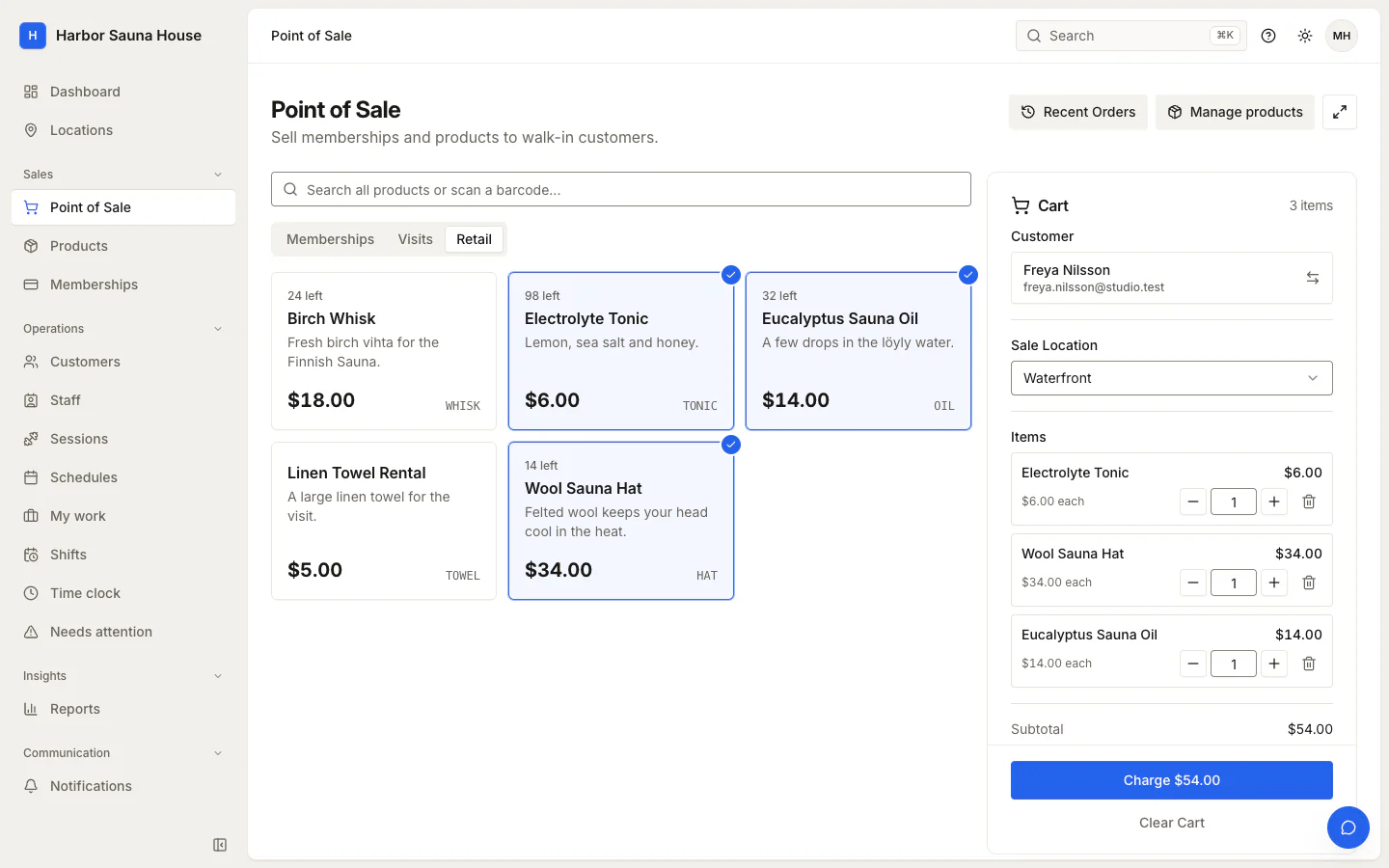
At the point of sale, staff choose Gift Card at payment and enter the code. Elara looks the card up, and its balance pays for the order.
- When the balance doesn't cover the order, Elara applies all of it and staff take the rest in cash or as an external card payment.
- The point of sale takes gift cards but doesn't sell them. Sell cards on your website, or issue one from Elara.
In Elara
Issue cards and track every balance
The Gift Cards tab lists every card with its recipient, balance, status and expiry. Open one to see each time it was spent and the balance left after it.
- Issue a card with your own code, a recipient, a message and an optional expiry date. The recipient is emailed the code.
- Issuing a card records no payment, for a card you're giving away.
- Find a card by its code, or by its recipient's name or email.
- Redeem a card by hand, or void it and reactivate it later, unless it has expired or a refund of its purchase locked it.
Code
4KQM-8TZP-WX3N-R7DH
Balance
$45.00
Initial
$100.00
Recipient
Sam Taylor (sam@example.com)
Expires
--
Redemption history
−$20.00
Oct 11, 2026, 5:40 PM
Bal: $45.00
−$35.00
Oct 4, 2026, 10:15 AM
Bal: $65.00
Expiry, refunds and reporting
Every location
Gift cards belong to your studio rather than a location, so a card works at every location you run.
Expiry
A card you issue can expire at the end of a date you choose. After that it can't be used, extended or reactivated, and its unused value shows as expired.
Refunds
A gift card purchase can be refunded until any of it is spent, and the refund voids the card. Refunding something paid with a gift card puts that share back on the card, or flags it for staff if the card has since expired or been voided.
Gift Card Report
Value issued and redeemed in a period, the balance customers can still spend at its end, and expired value, with a CSV export. It covers the whole studio, including cards you issued.
Revenue when it's spent
Your revenue counts a gift card's value when it pays for something, not when the card is sold. Gift card sales are shown on their own.
Moving from Kenko
Gift cards and their remaining balances come over in a Kenko import. The Mindbody import doesn't include them, so issue a card in Elara for each balance.
How it works in the help center
Guides and reference for setting it up and running it day to day.
Gift Cards (help center)
Sell gift cards on your website, issue them from Elara, take them as payment online and at the point of sale, and track balances, expiry and refunds.
Frequently asked questions
Can I sell gift cards at the front desk?
The point of sale takes gift cards as payment but doesn't sell them. Staff can issue a card from Elara for someone at the desk, but issuing records no payment, so money taken for it isn't recorded in Elara. Cards bought on your website record the payment.
Do gift cards expire?
Cards sold on your website don't. A card staff issue can have an expiry date, and it can be used until the end of that day in your studio's time zone.
How do customers check their balance?
Checkout shows the balance a card will have left after each purchase. Customers have no balance page of their own, so staff look a card up by its code when someone asks.
Can a gift card pay for a membership?
Yes, for its first term, and renewals bill the member's card. A pass or pack can be paid in full. A pack, pass or membership that includes tax can't be paid with a gift card online.
Can customers use more than one gift card at once?
No. Each checkout takes one gift card, and a card or another payment covers the rest.
Get a price for your studio
Tell us how many locations you run and what you use today. We'll email you a quote and, if you're switching, what we can bring across.